IGNOU Term End Result 2026: The IGNOU Term End Result is one of the most important updates for students enrolled in Indira Gandhi National Open University. After appearing in the June or December Term-End Examination (TEE), students can check their course-wise marks and grades through the official IGNOU result portal.
Students can check their result using their enrollment number. The official result portal provides options for checking Term-End Examination results as well as re-evaluation results. The university also updates results in phases, which means that all course results may not necessarily appear at the same time.
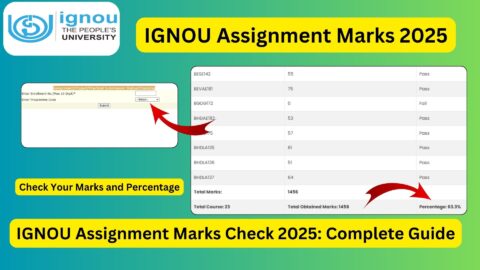
The IGNOU result portal may show the result status, programme code, course codes, marks or grades, maximum marks, examination month and year, and the date on which information was updated.
What Is IGNOU Term End Result?
IGNOU Term End Result is the official result record for students who have appeared in the university’s Term-End Examination. IGNOU generally conducts Term-End Examinations twice a year, commonly referred to as the June TEE and December TEE.
The result allows students to check their performance in individual courses. Depending on the programme and course, the result may display marks or grades along with the maximum marks.
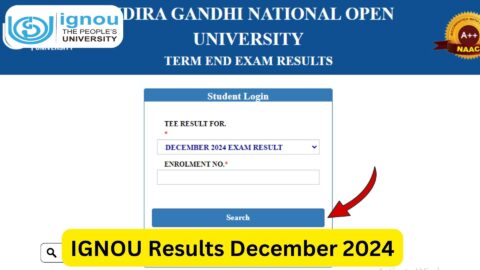
The official IGNOU result page is titled “TERM END EXAM / REEVALUATION RESULTS” and asks students to select the appropriate result type and enter their enrollment number.
It is important to understand that the online result is primarily provided for information purposes. The result portal itself states that the status is indicative and that results can be incomplete because additional results may be uploaded later.
IGNOU Term End Result 2026
Students who appeared in the IGNOU June 2026 Term-End Examination can use the official result portal to check whether their course-wise results have been updated.
Recent result records on the official portal show that June 2026 results are being updated through the result system. Since IGNOU publishes results in phases, students may find that some courses have been updated while the result for another course is still pending.
Students should therefore avoid assuming that a missing course result automatically means that they have failed. In many cases, the result may simply not have been uploaded yet.
The university’s examination-related information also indicates that results can be uploaded in a phased manner.
Important IGNOU Term End Result Links and Information
| Information | Details |
|---|---|
| University | Indira Gandhi National Open University (IGNOU) |
| Result | Term End Examination Result |
| Result Portal | https://termendresult.ignou.ac.in/ |
| Result Login | Enrollment Number |
| Exams Covered | June and December Term-End Examinations |
| Result Types | TEE Result and Re-evaluation Result |
| Information Available | Course-wise marks/grades and maximum marks |
| Result Status | May be updated in phases |
| Official University Website | https://www.ignou.ac.in/ |
| Student Services | Results and Grade Card services are available through IGNOU |
| Result Purpose | To check examination performance online |
How to Check IGNOU Term End Result?
Checking the IGNOU Term End Result is a straightforward process. Students should keep their enrollment number ready before visiting the result portal.
Follow these steps:
Step 1: Visit the Official IGNOU Result Portal
Open the official IGNOU Term-End Examination result website:
https://termendresult.ignou.ac.in
The page provides access to Term-End Examination and re-evaluation results.
Step 2: Select the Result Type
On the result page, select the appropriate option under the result section.
Depending on the available options, you may need to choose the relevant examination or result category, such as the Term-End Examination result.
Make sure you select the correct examination session before proceeding.
Step 3: Select the Examination Session
Choose the relevant TEE session for which you appeared.
For example, students who appeared in the June examination should select the June examination option, while students checking an earlier December examination should select the appropriate December session.
Selecting the correct session is important because IGNOU maintains results for multiple examination sessions.
Step 4: Enter Your Enrollment Number
Enter your IGNOU enrollment number in the required field.
Your enrollment number should be entered carefully. Avoid adding spaces or unnecessary characters.
If the enrollment number is entered incorrectly, the portal may not display your result.
Step 5: Submit the Details
After entering the required information, submit the form.
The portal will process your request and display the available result information associated with your enrollment number.
Step 6: Check Your Course-Wise Result
Once your result appears, carefully check the information displayed on the page.
You may see details such as:
- Enrollment number
- Programme code
- Course code
- Marks or grade
- Maximum marks
- Examination month and year
- Date of result update
- Remarks, where applicable
Official IGNOU result records demonstrate that course-wise marks and maximum marks can be displayed for individual subjects.
What Details Are Mentioned in IGNOU Term End Result?
The result page can contain several important details. Students should carefully verify each entry.
Enrollment Number
The enrollment number identifies the student in the IGNOU examination system. Students should verify that the enrollment number displayed on the result corresponds to their own enrollment.
Programme Code
The programme code identifies the academic programme in which the student is enrolled.
For example, different IGNOU programmes have different programme codes. Students should check this information carefully.
Course Code
The course code identifies the particular subject or course for which the marks have been reported.
Students should compare the course codes with their examination form, hall ticket, study material or programme structure.
Marks or Grade
The result may display marks or grades depending on the course and result information available.
This is one of the most important sections of the result because it allows students to determine their performance in individual courses.
Maximum Marks
The maximum marks column shows the total marks assigned to the particular course or component.
For example, an individual course may have a maximum of 100 marks, while another component may have a different maximum.
Examination Month and Year
The result also identifies the examination session, such as June 2026.
Date of Updation
The portal can also display the date on which the particular course result was updated on the website. Official result records show different update dates for individual courses, demonstrating why students should check the result again if some subjects are initially missing.
What If the IGNOU Term End Result Is Not Showing?
One of the most common concerns among IGNOU students is that their result is not available even after they have appeared for the examination.
There can be several reasons for this.
The most common reason is that IGNOU updates results in phases. The university’s regional centre FAQ states that results can be declared in batches and advises students to wait for the remaining course results when one or more courses have already been declared.
Therefore, if one subject is missing, students should not immediately conclude that there is a problem.
You can follow these steps:
- Verify your enrollment number.
- Make sure you selected the correct examination session.
- Check whether other course results are already available.
- Visit the result portal again after some time.
- Check the IGNOU official website for examination-related announcements.
- Contact the appropriate IGNOU authorities if the result remains unavailable for an unusually long period.
Why Is My Result Showing for Some Courses but Not Others?
IGNOU may upload results course by course or in batches.
For example, suppose a student appeared for six courses. The result portal might initially show marks for four courses while two courses are still pending.
This does not necessarily mean that the student has failed the remaining courses.
Official IGNOU information specifically explains that the university declares results in batches and that students may need to wait for the remaining course results.
Students should therefore check the portal periodically rather than assuming that the missing result indicates a negative outcome.
What Does “Result Yet to Be Declared” Mean?
If the portal does not show marks for a particular course or displays a message indicating that the result has not yet been declared, it generally means that the relevant result information is not currently available on the portal.
The official result system can display messages such as “Enrolment Number Not found / Result yet to be declared” when the requested result is not available in the system.
Students should first verify that they selected the correct examination session and entered the correct enrollment number.
If everything is correct, they should check again later because results can be updated in phases.
IGNOU Term End Result and Grade Card
The IGNOU Term End Result and Grade Card are related but should not always be treated as exactly the same thing.
The Term-End Result is primarily used to check the marks or grades declared for the examination. The grade card provides a broader academic record and can include different components of a student’s academic performance.
IGNOU’s official website lists both “Term End Exam/Re-evaluation Results” and “Grade Card” under its Student Services section.
After checking the term-end result, students should also monitor their grade card to ensure that the relevant academic components are properly reflected.
What Should Students Do After Checking the Result?
After checking the IGNOU Term End Result, students should carefully review their course-wise performance.
If all the expected courses are available, keep a copy or printout of the result for personal records.
Students who have pending courses should continue monitoring the official result portal.
If a student has not obtained the required marks in a course, they may need to appear for that course again according to IGNOU’s examination rules and schedule. The IGNOU Regional Centre FAQ also notes that students who do not obtain the minimum passing marks can appear in the next Term-End Examination after submitting the examination form according to the applicable schedule.
IGNOU Re-evaluation Result
Students who are dissatisfied with their marks may have the option of applying for re-evaluation, subject to the applicable IGNOU rules.
The official result portal itself provides for both Term-End Examination and re-evaluation results.
Students should not apply for re-evaluation without first checking the current rules, eligibility, application procedure, applicable deadline and fee.
The IGNOU Regional Centre FAQ confirms that students can apply for re-evaluation of answer scripts and that the university provides an online process for this purpose.
Is the Online IGNOU Result the Final Mark Sheet?
Students should remember that the online result is mainly provided for information purposes.
The official result page states that the displayed status is indicative and cannot be treated as a substitute for the grades sent by the Student Evaluation Division. It also notes that results may be incomplete and that more results can follow.
Therefore, students should preserve their official academic documents and follow IGNOU’s instructions regarding marksheets, certificates and other academic records.
Common Reasons for Delayed IGNOU Results
There are several possible reasons why an IGNOU result may take time to appear.
These may include:
- Results being uploaded in phases
- Evaluation of answer scripts still being completed
- Certain course results being processed separately
- Practical or project components requiring separate processing
- Administrative verification
- Updates to the online result database
- Result-related discrepancies requiring additional processing
Because IGNOU conducts examinations for a large number of students and programmes, students should allow reasonable time for result updates.
Tips for Checking IGNOU Term End Result
Students can follow these simple tips to avoid common problems:
Keep your enrollment number ready: You will need it to access your result.
Use the official portal: Always use the official IGNOU result website when checking your marks.
Select the correct examination session: Check whether you are looking for a June or December result.
Check all course codes: Do not assume that the result is complete just because some subjects are displayed.
Check again later: Results can be uploaded in phases.
Save your result: Once your result is available, save or print the displayed information for your records.
Monitor the grade card: After the result is declared, also check your IGNOU grade card for the relevant academic entries.
FAQ about IGNOU Term End Result 2026
How can I check my IGNOU Term End Result?
You can check your result online by visiting the official IGNOU Term-End Examination result portal at https://termendresult.ignou.ac.in/. Select the relevant result/examination options and enter your enrollment number.
What details are required to check the IGNOU result?
The result portal requires your IGNOU enrollment number along with the appropriate result and examination selection.
Is the IGNOU Term End Result available online?
Yes. IGNOU provides an online portal for checking Term-End Examination and re-evaluation results.
What should I do if my result is not showing?
First, check that you entered the correct enrollment number and selected the correct examination session. If your details are correct but the result is still unavailable, check again later because IGNOU publishes results in phases.
Why are some of my subjects showing while others are missing?
IGNOU can declare results in batches. Therefore, one or more course results may appear before the remaining courses. Students should wait and check the official portal again.
What does “Result yet to be declared” mean?
It generally means that the result associated with the selected examination and enrollment number is not currently available on the portal. You should verify your details and check again later.
Can I check the IGNOU June 2026 result online?
Yes. Students who appeared in the June 2026 Term-End Examination can use the official IGNOU result portal to check available results. The portal is being updated with June 2026 examination information.
Can I apply for re-evaluation if I am not satisfied with my marks?
IGNOU provides a re-evaluation facility subject to its applicable rules and conditions. Students should check the current official instructions before submitting a re-evaluation request.
Does the online result serve as the original marksheet?
The online result should not be treated as a substitute for the official academic documents. The result portal itself describes the online status as indicative and notes that it does not have the same status as the grades sent by the Student Evaluation Division.
Conclusion
The IGNOU Term End Result is an important academic update for every student who appears in the university’s June or December Term-End Examination. Students can use their enrollment number to check their course-wise marks or grades through the official IGNOU result portal.
If your result is not available immediately, there is no need to panic. IGNOU publishes results in phases, and different courses can be updated at different times. Students should verify their enrollment number, select the correct examination session and regularly check the official portal for updates.
After the result becomes available, students should carefully review all course codes, marks and grades. It is also advisable to monitor the IGNOU grade card and retain copies of important academic records.
For the latest available result information, use the official IGNOU Term-End Result portal:
https://termendresult.ignou.ac.in